Google released EmbeddingGemma 2 which they claim is the most capable open source model for multi-model embeddings. In addition to text, it can handle similarity across images, audio and video. I wanted to do an evaluation on its claims and I had the perfect candidate. Replacing the embeddings engine in my iOS news app which relies on iOS NLContextualEmbeddings.
The engine swap was mostly seamless. Well, other than one hiccup, which was that my app now had to download a 300MB file (the new model) upon launch. Apple ships its models on device, so using their built-in libraries you get this for free.
Apple thankfully provides a mechanism to upload and seed large files through the App Store’s transporter app. It works like how big games get downloaded. You have a small App Store package, then by requesting an App Group entitlement, you can download a secondary package, in my case Google’s EmbeddingGemma 2 text only model.
I asked Claude to use CoreML because the model could fall back to the built-in iOS Foundation models without breaking. We found that FluidInference converted EmbeddingGemma 2 to CoreML and uploaded it on Huggingface. Excellent. I used this as a drop-in replacement.
After loading the EG2 model, I performed an eval of my interest matching for NL vs EG2. Only then did I realize how poorly my NL implementation performed.
Metric
NLContextualEmbeddings
EmbeddingGemma 2
Stories with a named reason
65 / 901
297 / 901
Top 25 of Today that clearly match you
8
21
Median age of the top 25
1.2 h
1.7 h
Stories qualifying for For You
26
96
For You picks matching an interest you typed
0 / 10
5 / 10
Hero picks the two models share
1 / 10
1 /10
Same-event pairs grouped (120 pairs labelled by hand)
12 / 23
18 / 23
Wrong groupings
16
2
Followed-story matches accepted
7 / 23
13 / 23
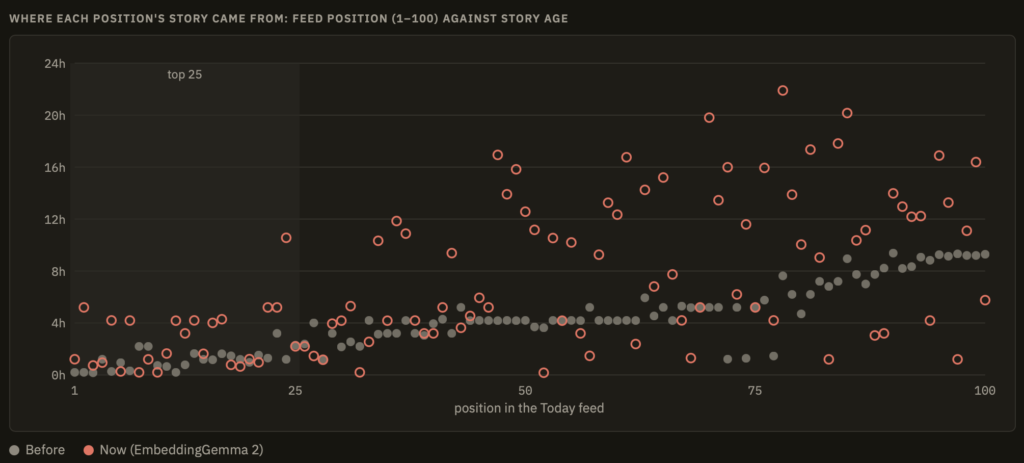
Another eval that I ran was to compare how much influence the “freshness” of the articles carried in surfacing that story in the top news feed. You can see how in the before graph, using NLContextualEmbeddings, the positions of an article in the today feed were mostly linear with time. As articles became older, they went further down the feed list. What this means, is that the “interest” surfacing that I had built with NL, did a lot of nothing. Whereas, with EmbeddingGemma 2, even if an article was old, they were still surfaced higher in the feed, if interests drove the story to higher relevance.
Was it worth it? Yes and I’m happy with the results. In using the news app I’m noticing not only are the built-in interests matching improved, but learned interests are robust too, reinforcing the matching engine. It’s not trivial to have a side-loaded 300MB model to download, but given the improvement to matching, it improves the user experience.
I haven’t written about Jev. I had too much going on this month. But the AI world was going nuts about it because it was a type safe way to leverage AI in code. Unstructured in, structured out.
Last month, I wrote about my FoundationModels in iOS27 explorations where I used an on-device LLM to make decisions on code. I was amazed at how complex algorithmic instructions could be done with a simple prompt, and then used to direct my application logic. The problem was that comparing deterministic algorithms with LLM reasoning is no contest. I knew it would be slow and had to restrict where I would use this type of decision making.
Jev changed all that last month where models came out that were trained to act fast and make decisions. Suddenly integrating an LLM into code was no longer a liability.
OpenAI noticed. And today, released Decisions API. The video below shows its use in code, with the video game steering demo being most interesting to me because it highlights the quickness and accuracy of the LLM to code decision making. But wait, this is not text, this is also multi-model as it can process images and act on it… within 150ms! “ms”!
While it isn’t coding fast, it is way faster than your typical frontier model response of multiple seconds. Which makes integrating LLM into code a viable option. Coding has changed more this past 12 months than it has in 10 years.
The past month of Claude Opus 5 has been a disaster. It was a problematic release because I straight up could not understand it. If you’ve been using Opus 5 you know what I’m talking about. I felt like I spent more time understanding its replies than doing actual work. It was slow, made mistakes more often than I noticed, and seemed to get into these doom loops when reasoning to the point where I had to set effort to medium/low. I had never changed effort levels prior to Opus 5.
It was so bad, that I switched to OpenAI’s Sol for a month to see how well things were going on the other side of the fence. Sol and Astra are good. It’s quick. It’s concise. And the app does this thing, where all the reasoning gets collapsed after its turn to provide a short summary you can quickly read to understand what was accomplished. I hadn’t used ChatGPT for over 4 months, not having tested Astra or Sol lately.
I was impressed by the changes OpenAI has made to the harness, the desktop/mobile apps, and the models. It is very competitive with Claude. I’m still iffy on the security model for Codex, which leans way more permissive than I’m used to, but every harness is leaning towards autonomy over security of late. I really like how Sol talks and does single-threaded work. So just as I was about to buy a month of ChatGPT, Claude released Opus 5.5.
Opus 5.5 addresses most of this feedback. It is noticeably quicker. I’m not holding my breath every time I prompt the model, scared it will doom loop. The way Claude communicates is improved. I would say it is just back to what it was before, and not whatever 5 was doing. Honestly, it was so bad that I think most people will be happy to be back to that baseline. I still think Astra and Sol 6 are better at clear, concise communication. I’ve also noticed an improvement with code quality for Opus 5.5. I’m not sure if I’m just imagining things but even running effort medium, I’m not hitting as many fixes during my /code-review sessions.
I’m going to switch over to Astra for a bit. Fable is not accessible on base plans and Astra 6 is accessible with ChatGPT Plus. I’ve been moving between Claude Pro/Max depending on my work but on Pro I can’t use Fable without API credits. I wonder if I will pull my hair out moving my scheduled tasks and skills over to ChatGPT.
I built a news aggregator a few months ago that I use regularly. I thought it’d be fun to implement the FoundationModels API in a few areas.
Related Articles
Prior to FoundationModels I used NLContextualEmbedding from iOS26 to determine if news stories have a relationship with other stories. This isn’t reliable. The embeddings are based on wording and “bank” can also match “river”. You need intelligence to understand that the central bank is not related to a river bank. I decided to explore using an LLM prompt to help replace algorithmic filtering.
Embeddings do the initial vector work of finding related articles to the source, and I add a second layer of LLM reasoning to further filter out unrelated articles. I went with a combo because using an LLM to review 5 related articles is faster than, using it to review 600. It works really well.
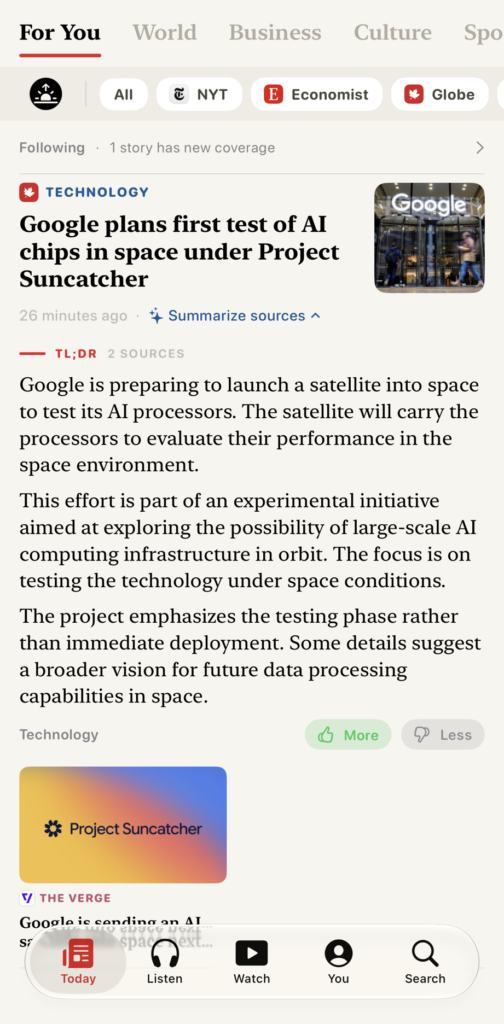
The same story across two sources. With summary across both.
The embeddings get close to the correct answer, and the LLM does the final pass. Articles that do not match the article subject get removed. This would not have been possible algorithmically without serious code. While, I wouldn’t leverage LLMs to make app decisions on the regular, in this context it was helpful. Also something cool is that I asked the LLM to compare the two articles and surface a point of differentiation between the articles which is hard to do with algorithms.
Article Summary
I wanted to use FoundationalModels to summarize my articles. So I pass the article contents to the model and ask it to summarize the text. The cool thing is that you have the ability to setup the LLM to stream out its answer. We’ve all seen this where the LLMs will print out text as it thinks. As each bullet is being reasoned by the LLM and the article is being processed, you see the text come out. Similar to getting a response from Claude or Gemini – very cool.
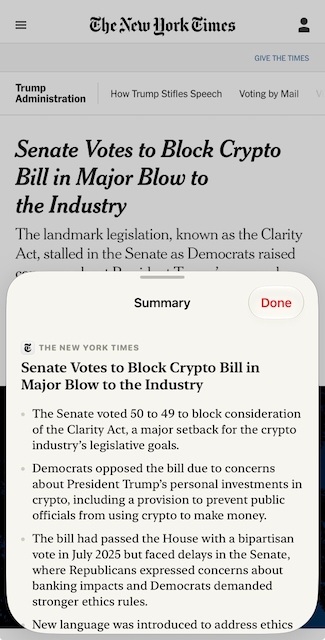
LLM article summary feature
Daily Briefing
A news briefing notification is delivered in the morning. Upon tapping it, the app performs an initial fetch for fresh articles and then a ranking happens by interest. All are fed through the LLM with the prompt:
You choose the stories for a reader’s morning news briefing, most important first.
Judge each story first by how much it matters: how many people it affects, and whether something actually happened rather than being announced, previewed or described. A death toll, a disaster, an election result, a court ruling, a policy change or a market move outranks a product or release announcement, a schedule or preview, a trend or lifestyle feature, a routine result and a profile. Only where two stories matter about equally, prefer the one closer to the reader’s listed interests.
Reply with every story number in your chosen order, separated by commas. Include each number exactly once. Output nothing else.
The output is then summarized through another briefing LLM pass that streams out the article summary for the briefing.
You write one paragraph of a reader’s morning news briefing, from a single story block giving a publication, a headline and the story’s text. Rules:
Two or three sentences. Say what happened, and stop.
Use only facts explicitly present in the block. Never add names, numbers, dates or events that are not written in it.
Write in your own words. Do not copy sentences out of the block and do not continue by quoting the rest of it.
Plain, neutral prose. No headline, no heading, no bullet list, no greeting, no sign-off, and no citation markers — the citation is added for you.
A block marked “(summary only)” is an article you are reading the teaser of, not an absence. Report what it says.
The block may end with “Also covered by:” and another outlet’s own words. Where that framing genuinely differs, say so in a clause and name the outlet; where it agrees, say nothing about it.
If the block is a shopping deal, a discount, a product recommendation or a buying guide rather than reporting, reply with the single word SKIP and nothing else.
The brief is then a selection of key articles in combination with articles summarized by the model. Originally I fed all articles into one prompt and asked it to summarize hoping to one shot it, but the model failed often and started to duplicate content or get lost with separating stories. I now feed each article individually into the summarize prompt and it works great. Mostly. You can see the tail end of the prompt has the SKIP instructions because stray non articles pass the Embeddings filter.
Hero Selection
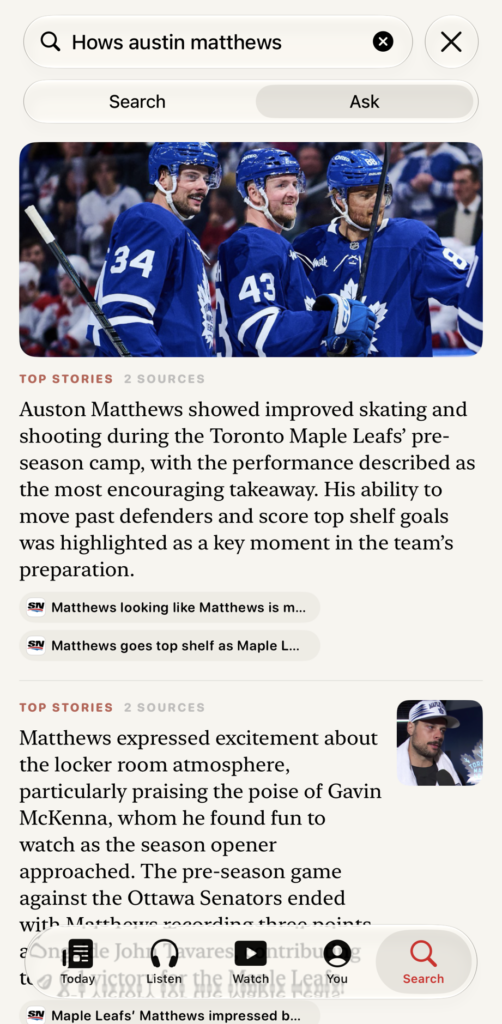
I have a giant hero in my news app. similar to other news apps, it surfaces stories that I would be interested in without having to scroll through all the articles. In iOS 26, I was using the natural language embeddings to surface specific interests that I had. The closer the embeddings were to the interests, the more likely they would be surfaced within the hero. The problem I had was that the hero would be ordered strangely. The embeddings weren’t smart enough to understand the interest order.
I decided to use the LLM to analyze the set of 10 articles, along with my interest ranking and ask it to order the articles. Again, this solution worked very well. What would have required a lot of code was solved with a simple prompt. I designed it so the app was not held back by the model analysis, which can take a few seconds. Once the model was done, it would reorder the hero lazily.
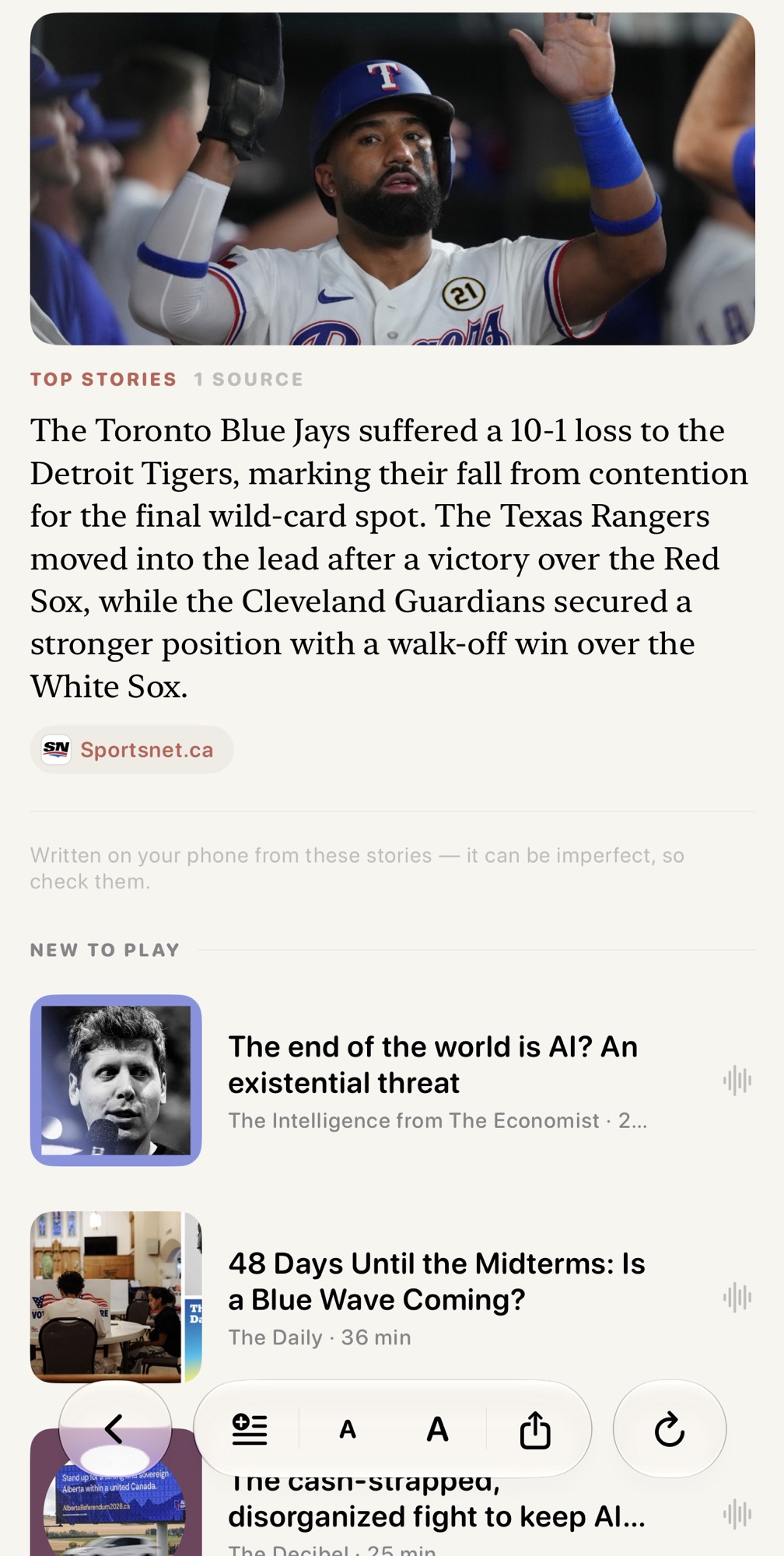
Hero block ordering using model intelligence to reorder by my interests.
Search with AI
Another change I adapted was to use foundation models to surface articles based on a query. So instead of a search that was a semantic search where it was based on keywords match to article titles, I would use AI to both search across all articles where it understands the context of my search query, pull up the top articles, and also summarize them all at once. I could ask questions that would reason over results.
To close off, this was a fun project and it made my app better. Wouldn’t be possible without the on-device LLMs so very happy to see the benefits of models come down to edge devices. Given we are still in the first generation of edge models I can only imagine the next few years of optimization bringing more value.
It is summer. I’ve slowed down with LLMs. More than anything I’m getting tired. Between running overnight agents, reviewing PRs and one shot-ing /goals …. it is time to take a break.
GitRepo activity for the last 12 months. The change from doing nothing to something is the point.
Since checking in my first git repo in early 2026, I haven’t stopped working on my hobby projects. Things have come a long way since early 2025.
So what have I learned.
LLMs close the prototyping gap. I can’t count the number of times I’ve sat on my hands, thinking, wow this is a great idea… If only I could find someone to help me get started. Now, my ideas get done with a prompt. Hours on hours of dev work, debugging, testing done in a matter of hours. Look at the git chart above and you can see how each week one of my ideas came to reality. And this is only the stuff checked-in. My day to day projects for my household go back even further.
LLMs don’t replace humans. (but maybe some coders). Models love to code. It used to be an art to review the beauty in someone’s code. There are many roads to a solution and elegance in the approach. I grew up with BASIC, VB and Java. But do I still care? I don’t care. I just want to put an idea to paper. And often, even crappy code, is good enough. For me, the narrative against AI slop is not about whether this code is good enough. For me, it is code vs no code at all.
Bad product manager = bad product. LLM coding is amazing, but a bad feature is still a bad feature. If you’re not coding, then most work is developing features, dog fooding the feature, iterating and verification tests. For now, critical thinking is better in the human brain. The number of times I’ve had to ask the LLM to re-design the app UX after adding a small detail is frustrating. It seems the current issue is that tokens are so expensive. If I wanted a model to code and to design UX, I would burn so many tokens and responses would be dreadfully slow. So the trade-off, is how much time and money do I want to give up each prompt for a multi-model, multi-context, coding model? It’s a familiar situation where we have a designer arguing against a coder for how an app should look and perform. “Why did you add a field that introduces line breaks and messes up the design?” Can I create an agent-team that argues this on every prompt? Sure. But I don’t want to burn all my tokens each turn either, so I must be more intentional. I am guessing this is the next step on frontier models, where it is less about the work itself, but the work “around” the work where things often go from good to “great”.
The harnesses are too technical. Coding is hard to explain to regular folks. “It creates and runs tests on its own!” is meaningless. But to people who code, we know how much time debugging takes. I would argue that having code that immediately runs without even a syntax error is a dream. So an argument for application prototyping is an argument assuming someone gets npm, node.js, git,PRs, branching, worktrees etc. Concepts that are foreign to many. For example, in Cowork, editing documents without a git repo can be immediately destructive. And people do not know how to revert, backup, or run change control on their documents. How would they know how to solve for that.
Differentiationis disappearing. I’ve shared my frustration with having to pre-select a model. It is unintuitive because the description of “your hardest work” is itself ambiguous. I likely do not have very hard work. Not only that, but it is not like I will re-run my prompt with another model to do a comparison so I end up assuming Fable’s work is just better than Sonnet work. For every model that I’ve chosen in the past 6 months, the job done is good enough. And while I’ve advocated for the Claude harness over others for months, Copilot, GPT, and Gemini all now have the exact same features. With open weights catching up, it is to the point where I question the added value of model point releases. I would advocate to those who are asking me what LLM to use, to use whatever gives you the highest model at the cheapest cost.
Verify, verify, verify. Current thinking models do not prioritize tests as much as they should. My guess is that writing tests sometimes is more context than writing code so the trade off of more tests vs longer runs is not worthwhile user experience. For many of the features I’m building that are outside of design and UX, I ask specifically for tests, code review on tests, /goals on tests. Setting these guardrails early as you vibe-code will save you hassle down the road because syntax perfection does not imply app perfection. I build a lot of apps that require calculations and financial models and my heart skips a beat every time I want to introduce a new component that touches my engine.